Photo Resizer
A free photo resizer for Instagram sizes, exact pixels or a file size limit. No sign-up, nothing uploaded.
Your photo
New size
Format and file size
The photo resizer runs on your device. Nothing is uploaded.
This photo resizer is a free image resizer for any picture. It changes a file to the exact size you need: an Instagram post, a width in pixels, or a file under so many KB. The whole photo stays in the frame, and it never leaves your device.
- Nothing uploaded
- No watermark
- No sign-up
Instagram sizes
Photo resizer for Instagram: five sizes, drawn to scale
Instagram shows feed photos 1080 px wide; only the height changes. The shapes below are drawn to scale, so you can see how much screen each one takes. Tap a size and the photo resizer above switches to it.
| Size | Pixels | Ratio | When to use it |
|---|---|---|---|
| Portrait post | 1080 × 1350 | 4:5 | The tallest feed post. Takes the most screen, so it is the default in this photo resizer. |
| Square post | 1080 × 1080 | 1:1 | The classic square image, 1:1. Safe for product shots and logos. |
| Grid tile | 1080 × 1440 | 3:4 | The 3:4 shape profile grids now show. Use it when the grid view matters. |
| Story / Reel cover | 1080 × 1920 | 9:16 | Full screen, upright. Keep faces and text away from the top and bottom. |
| Landscape post | 1080 × 566 | 1.91:1 | The widest feed post. Small on a phone, so use it sparingly. |
Why 3:4 and 4:5 both exist, and what the grid view cuts off, is explained in the Instagram grid size guide. To see that crop on your own photo, with mirror and border fills and a profile picture circle, use the image resizer for Instagram.
No crop
Photo resizer without cropping: keep everyone in the frame
A wide photo does not fit a tall frame. Most tools cut the sides off. This photo resizer keeps the whole picture and fills the leftover space, either with a soft blurred copy of the same photo or with a colour. Here is one wide market photo going into a 4:5 post, three ways.
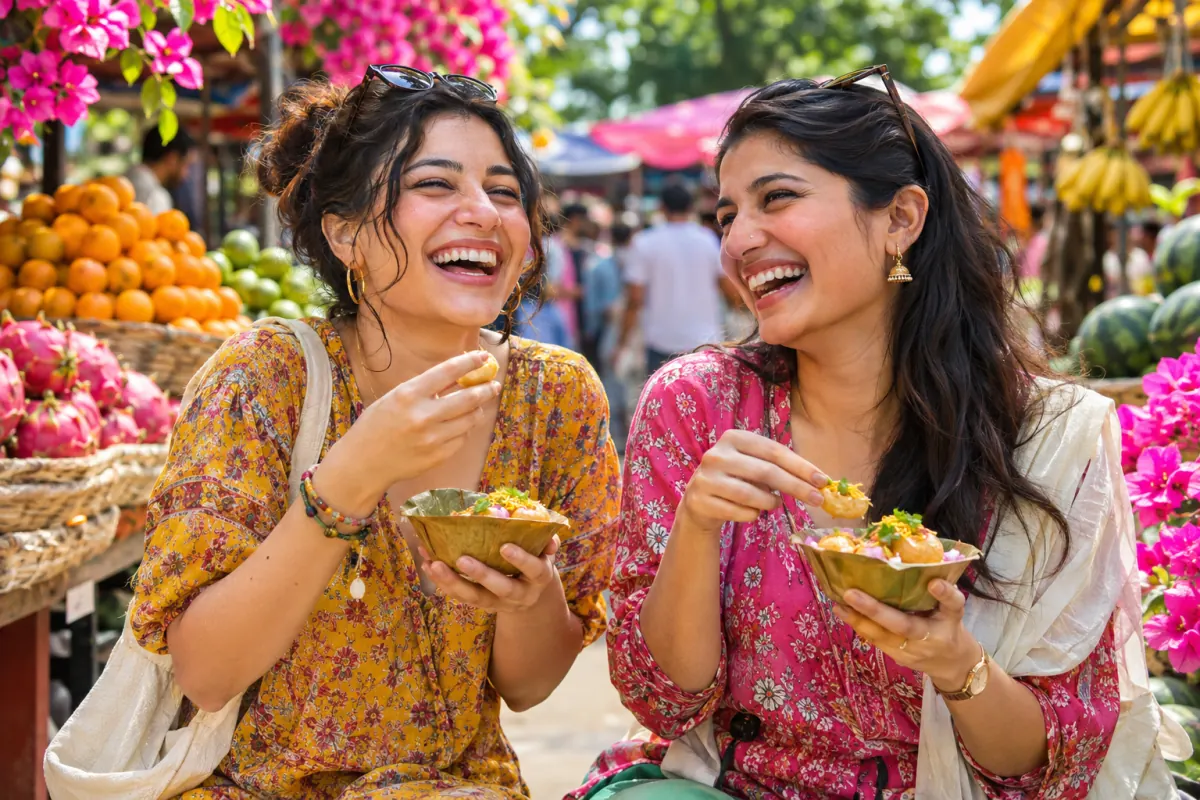
Cropped
Both sides of the photo are cut off
No crop · colour
Everyone is in, with clean bars
No crop · blurred photo
Everyone is in, and the frame is full
Prefer a tight crop? In the photo resizer choose Crop to fill, then drag the photo to decide what stays.
Three steps
How to use the photo resizer
- 1
Add a photo
Open the photo resizer and press Upload photo, drop files on it or paste a picture. A sample is loaded so you can try every setting first.
- 2
Choose the size
Pick an Instagram size, type Pixels, or shrink by Percent. If the shape changes, keep No crop or switch to Crop to fill.
- 3
Download
Press Download photo. The preview is exactly what you get, and the photo resizer shows the real file size before you save.
Pictures of every photo resizer control are in the help center.
Exact sizes
An image resizer for exact pixels or percent
Not posting to Instagram? Use it as a plain image resizer and resize image files to any width and height up to 8,000 px. With proportions kept, you type one side and the other follows, so nothing is stretched.
- PixelsType a width, a height, or both. The link button between them keeps the photo's shape.
- PercentAn image downscaler in one tap: halve a huge camera file with 25%, 50%, 75% or your own number.
Keep-the-shape calculator
Type your photo's size and the width you need. The height follows, the way the photo resizer works it out.
1080 × 810 px
12.2 MP becomes 0.87 MP, 27% of each side.
File size
Photo resizer in KB: set a file size limit
Some uploads are limited by weight, not by pixels. Tick Limit file size, type the KB, and the photo resizer finds the best quality that fits. You can set pixels and KB together, which few tools allow.
Under 100 KB
Online forms and job or exam applications that reject large uploads.
Under 200 KB
Profile pictures, forum avatars and email signatures.
Under 500 KB
Blog and shop images that should load fast on a phone.
Quality is lowered first. Only when the lowest quality is still too heavy does the picture get smaller, and the photo resizer shows the new pixel size so you are never surprised. PNG has no quality setting, so a limit saves as JPG or WebP.
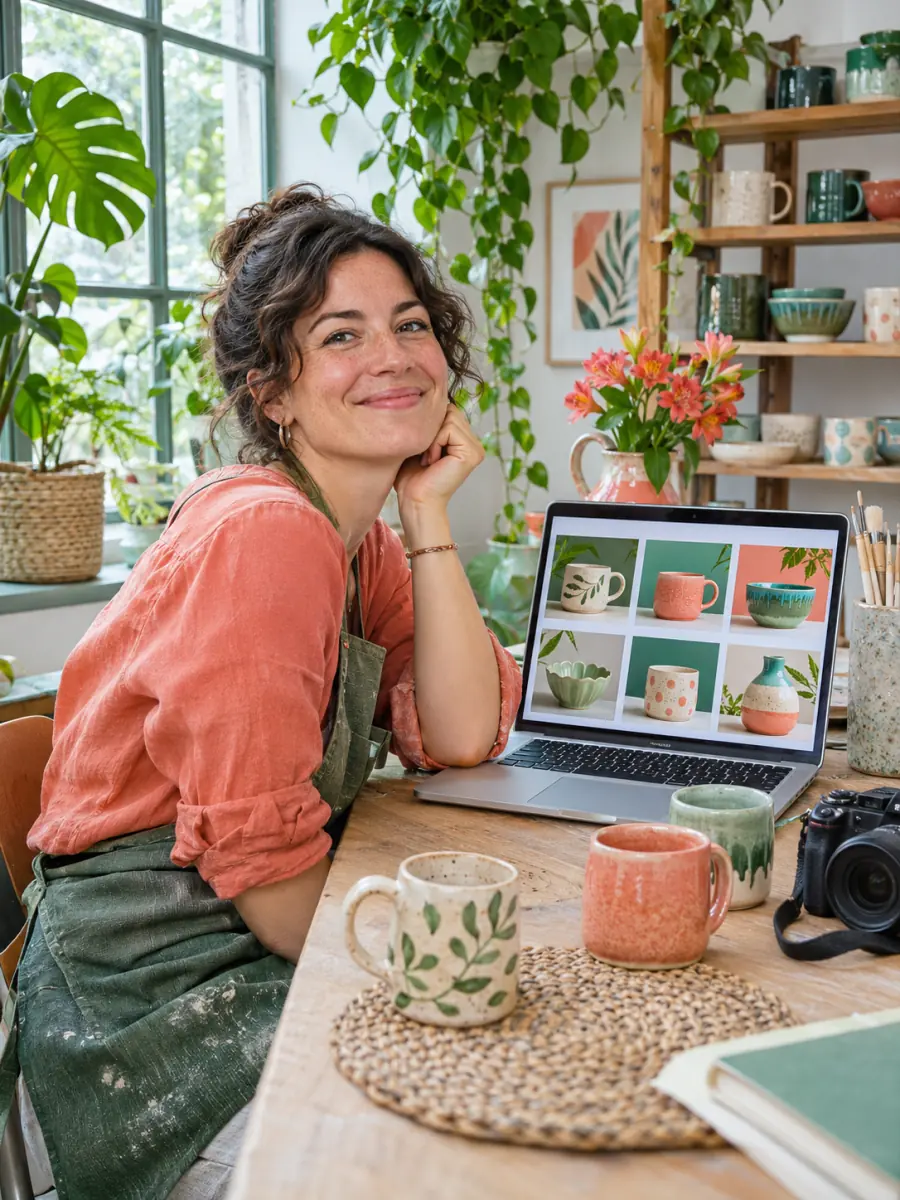
Bulk
Resize a whole shoot in one batch
Switch to Batch, drop a set of shots in, and every one gets the same size, fill and format, downloaded as one ZIP. Selling the same product on Etsy, Amazon and Instagram? The bulk photo resizer exports each photo in several shop sizes at once, with a folder per size. To cut a set to one shape instead, keeping each subject in frame, batch crop the photos.
| What you get | Free | Pro · Lifetime |
|---|---|---|
| Photos per run | 10, or 20 after sign-in | 50 |
| Instagram sizes, pixels, percent | All | All |
| No-crop fill and KB limit | Yes | Yes |
| Saved sizes of your own | 1 after sign-in | Unlimited |
| Watermark | Never | Never |
What comes next
From the right size to a finished post
- Photo too small?Stretching adds no detail. When a size would enlarge your picture, the photo resizer warns you; upscale the image with AI first, then resize it.
- Planning a profile wall?Use the photo resizer's Grid tile size, or let the Instagram grid maker cut one big photo into a seamless grid.
- Making a swipe post?Bring the resized pictures into the carousel maker and add words on top.
- Need a different job done?The grid maker, carousel maker, splitter and upscaler sit next to the photo resizer on the Instagram tools page.
- Too wide for one post?A panorama can be cut into equal slides with the image splitter instead of being squeezed.
- Several favourites, one post?Combine nine pictures into a top 9 grid with the 3x3 grid maker, then resize it here for a Story.
Private by design
A photo resizer that never uploads your photos
This photo resizer
- Your photo
- Your browser resizes it
- Your download
No server sees the picture, so client work, family photos and ID scans stay on the device they are on. The photo resizer keeps working when the connection drops.
Upload-based resizers
- Your photo
- Upload
- Their server
- Download
The file sits on someone else's computer until it is deleted, often hours later, and a slow connection means waiting twice.
FAQ
Photo resizer questions
How do I resize a photo without cropping it?
What size should a photo be for Instagram?
Is a photo resizer the same as an image resizer?
How do I zoom out an image online so all of it fits?
Is this photo resizer free?
Are my photos uploaded?
How do I resize a photo to 100 KB or 200 KB?
Does resizing reduce quality?
Which formats can I open and save?
Can the photo resizer handle several photos at once?
What is the largest size it can make?
Does the photo resizer work on an iPhone or Android phone?
Resize your first photo
Free, no account, no watermark. The photo resizer runs on your device.
Keep going
- Instagram grid makerTurn one photo into a seamless 3-column profile grid.
- Image resizer for InstagramFit the whole photo into a 4:5 post, a Story or the 3:4 grid, with blur, mirror or white fill.
- Upscale ImageMake a small picture 2× or 4× larger with AI in your browser. Nothing is uploaded.
- Bulk Photo ResizerResize a whole batch into Etsy, Amazon, Shopify and Instagram sizes in one ZIP.
- Batch crop photosCrop a whole set to one shape at once, each crop placed over its subject.
- Image SplitterCut any image into a grid, exact pixel tiles or printable poster pages, with every piece kept at full size.
- Carousel makerPick a template, change the words and photo, and download Instagram carousel slides or a LinkedIn PDF.
- 3x3 makerSearch anime, manga or characters, or add your own pictures, and save your top 9 as one square or Story image.
- Instagram grid size guideTile and source photo sizes, a fix for grids that do not line up, seamless carousels and LinkedIn PDFs.
- All Instagram guidesEvery grid and carousel guide in one place, sorted by the problem you are trying to solve.
- Plans & pricingFree single grids. Compare Pro and Lifetime for larger batches.
- Help centerStep-by-step guides for every tool.