Batch Crop Photos
Batch crop photos to one shape in a single pass: auto-frame keeps each subject in the crop, and nothing is uploaded.
Your photos
JPG, PNG, WebP or HEIC, up to 10 at a time. Drop a whole folder's worth.
Crop shape
Instagram portrait post, the tallest in the feed
Framing
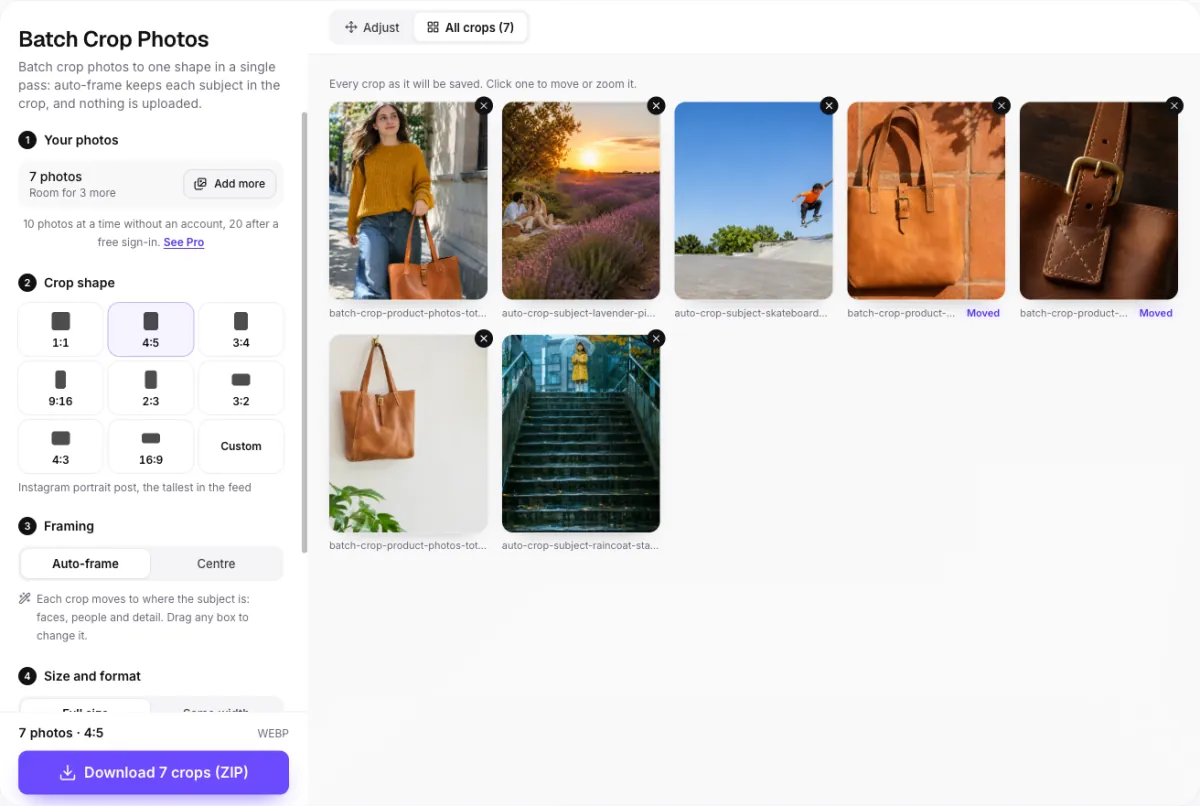
Each crop moves to where the subject is: faces, people and detail. Drag any box to change it.
Size and format
Each crop keeps its own pixels: nothing is scaled, so nothing is lost.
Format
Batch crop photos on your device. Nothing is ever uploaded.
Cropping forty photos one by one takes an evening. Here you batch crop photos in one pass: one shape for all of them, each crop placed over its own subject, and every result on one screen before you download.
- Free, no watermark
- Nothing uploaded
- Every crop on one screen
One shoot, one shape
Batch crop photos for a shop: four shapes in, four squares out
A shop listing, a carousel or a print order wants every picture the same shape, but a shoot never comes out that way. Pick 1:1 once and batch crop photos from the whole shoot together.
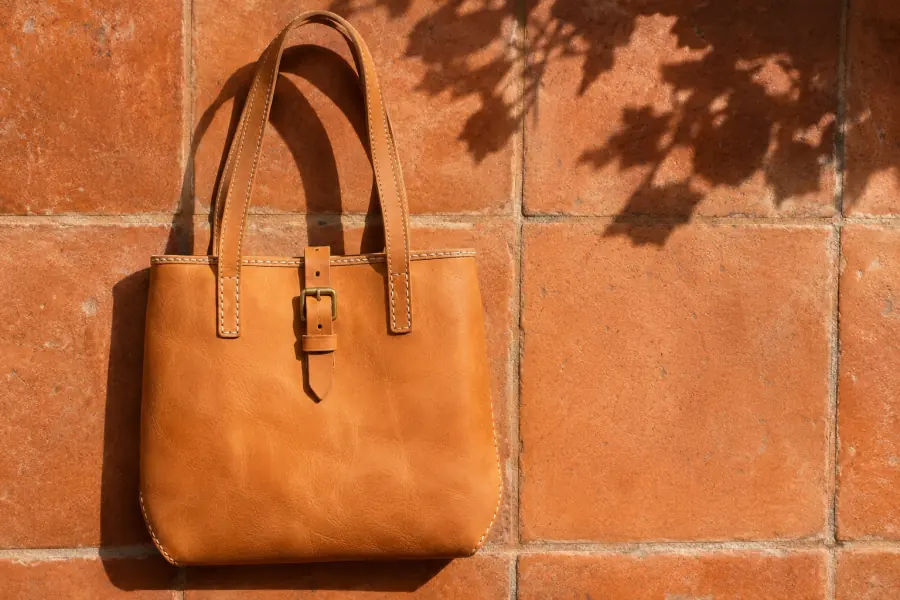 Moved
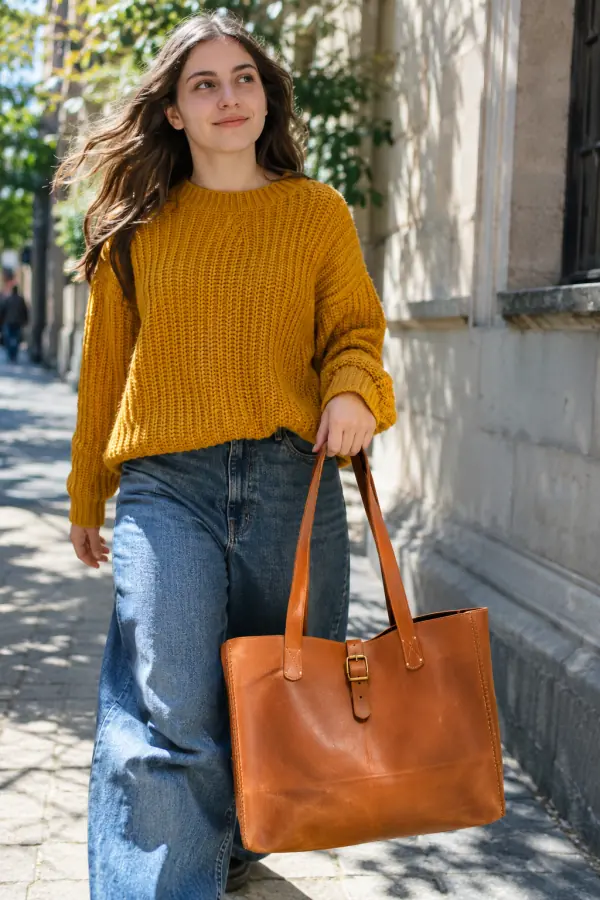 Moved
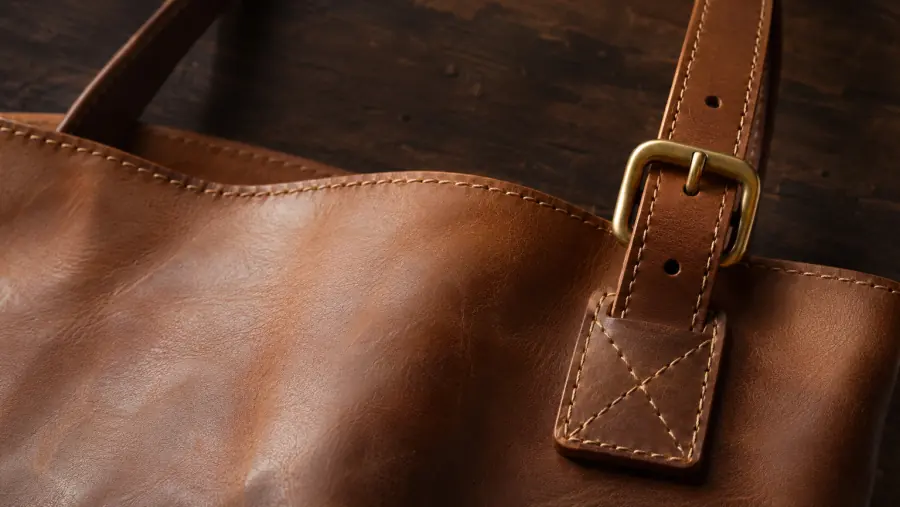 Moved
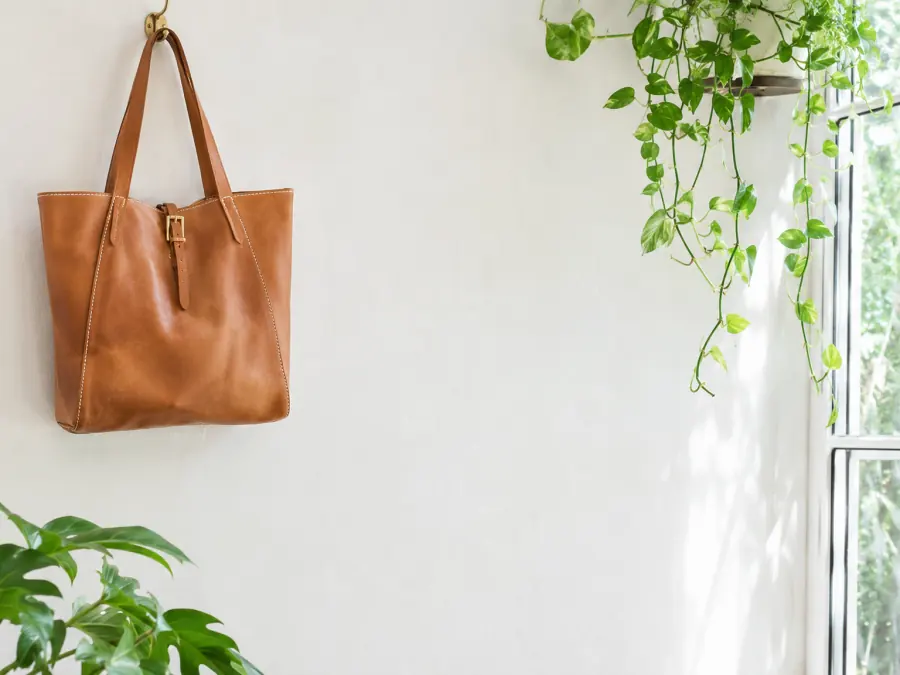 Auto-frame
Products need a nudge. When you batch crop photos of products, remember auto-frame looks for people and strong colour; a tan bag on a tan wall is neither, so three boxes here were dragged. Each took a second.
Need exact shop sizes, or no cropping at all? The bulk photo resizer makes every Amazon, Etsy and Shopify size at once, with white fill instead of a crop.
Auto-frame
Batch crop photos without cutting people out
Most tools that batch crop photos take the middle of every one. People rarely stand there. Auto-frame scores each photo for faces, skin, detail and colours the rest of the picture lacks, then moves the box onto them.
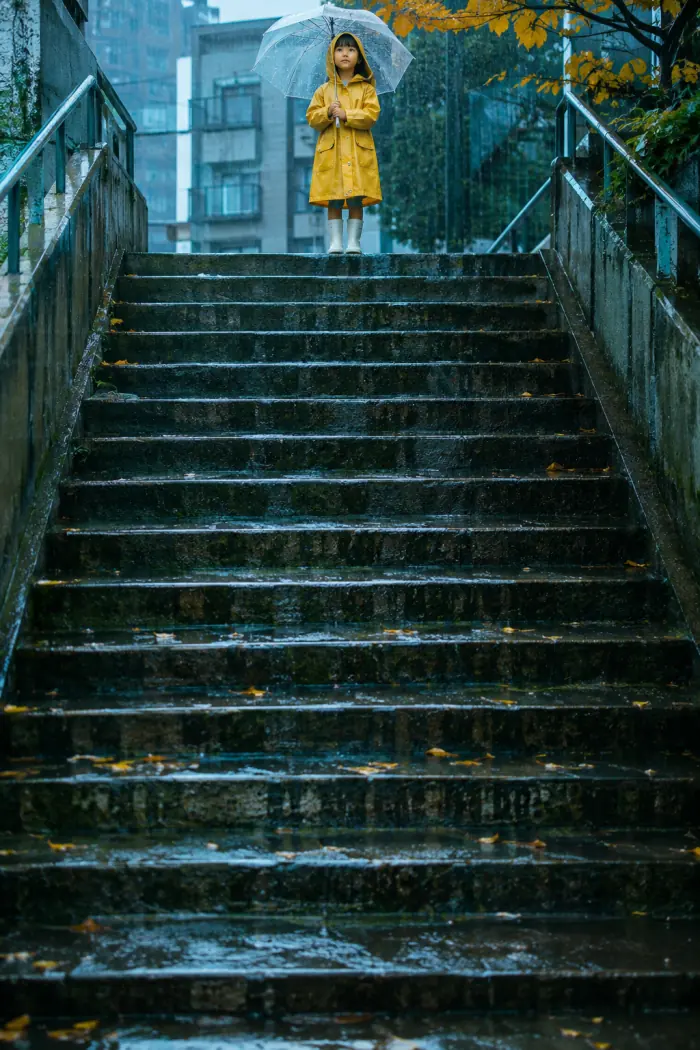
Centre · Only steps left Auto-frame · 1:1 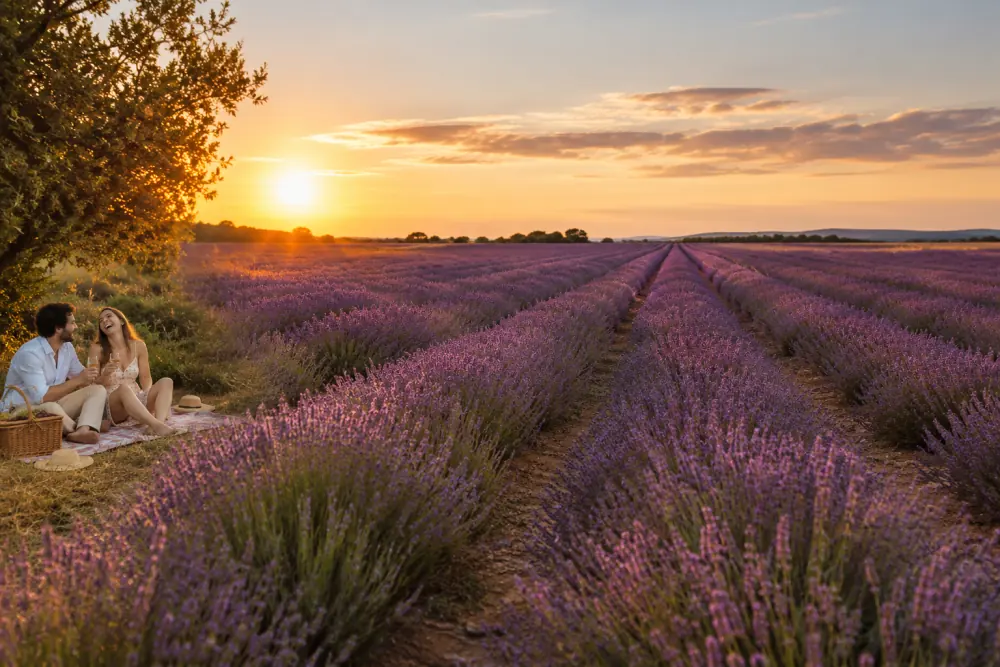
Centre · The couple is cut out Auto-frame · 4:5 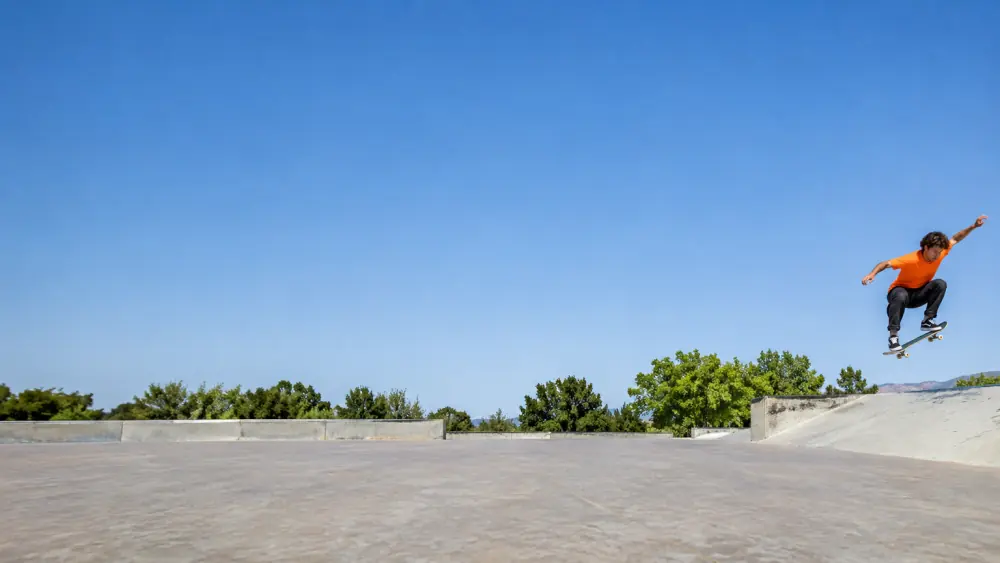
Centre · Sky and concrete Auto-frame · 4:5
Crop ratios
Which shape to batch crop photos to? Eight ratios and their uses
The same market photo, cut eight ways. Tap one to batch crop photos to that shape above; Custom takes any ratio such as 5:7 or 21:9.
Posting to Instagram and want nothing cut at all? The image resizer for Instagram keeps the whole photo and fills the gaps instead.

Four steps
How to batch crop photos online
Whether you batch crop photos for a shop, a carousel or a print order, the job takes about a minute.
- 1
Add photos
To batch crop photos, press Add photos or drop a whole folder's worth: up to 10 at once without an account. HEIC from an iPhone opens too.
- 2
Pick one crop shape
Choose 1:1, 4:5, 3:4, 9:16, 2:3, 3:2, 4:3, 16:9 or Custom. Every photo in the batch takes that shape.
- 3
Check the framing
Auto-frame places each crop on its subject. Open All crops, click any that needs it, drag the box or zoom.
- 4
Download the set
Pick Full size or Same width, then press Download 12 crops (ZIP), or whatever your count is. One photo saves on its own.
Screenshots of each control are in the help center.
Before you download
See every crop on one screen
When you batch crop photos elsewhere, you find the cut-off head after the ZIP is open. Here All crops lays out each result exactly as it will be saved.
- Click a crop to move or zoom it; a Moved tag marks the ones you changed.
- A warning sign marks crops that would be enlarged and go soft.
- Use this framing for all copies one photo's crop to the rest of a tripod series.
Crops too small for the width you need? Upscale them with AI first, right on your device.
Lightroom, Photoshop or a phone
Ways to crop multiple photos at once, compared
Lightroom and Photoshop can batch crop photos too, but they put the box in the same place on every frame. Phones and Windows Photos crop one picture at a time.
| How | Where the crop goes | Fixing one photo | Cost | |
|---|---|---|---|---|
| Batch crop photos here | Add photos, pick a shape, download | Auto-frame per photo | Drag or zoom any crop | Free |
| Lightroom Classic | Crop one, select all, Sync › Crop | Same spot on every photo | One by one afterwards | Subscription |
| Photoshop | Record an Action, File › Automate › Batch | Same spot on every photo | Re-run or edit by hand | Subscription |
| iPhone Photos / Windows Photos | Open each photo, crop, save | You frame each one | It is all by hand | Free, slow |
Steps to batch crop photos in Lightroom Classic and Photoshop are in the questions below. For a carousel that should look like one long picture, cut a panorama into slides with the carousel maker instead.
Free and Pro
Free to batch crop photos; Pro takes bigger batches
You can batch crop photos with every shape, auto-frame and the all-crops check free, without a watermark. Signing in raises a batch to 20; Pro and Lifetime crop 50 at once and add monthly AI credits for upscaling.
| Feature | Free | Pro / Lifetime |
|---|---|---|
| Every shape, auto-frame, all-crops check | Yes | Yes |
| Photos per batch | 10 (20 signed in) | 50 |
| Watermark | None | None |
| AI credits for 4× upscales of small crops | 3 a month signed in | 200 a month |
FAQ
Questions about cropping photos in a batch
How do I batch crop photos to the same size?
Can I crop multiple images at once without cutting off heads?
Do the photos lose quality?
How many photos can I crop at once?
Can I use the same crop position for every photo?
How do I batch crop photos in Lightroom or Photoshop?
Are my photos uploaded?
Does it work with iPhone HEIC photos?
Cropped the set? Put it to work
- Instagram grid makerSplit one photo into a seamless 3, 6 or 9 post grid.
- Carousel makerTurn your 4:5 crops into a swipeable carousel with text.
- Upscale imageGive small crops real pixels before they go out.
Need to batch crop photos again next week? Your shape, framing and photos stay in this browser until you clear them.
More free tools: see all tools
Keep going
- Bulk Photo ResizerResize a whole batch into Etsy, Amazon, Shopify and Instagram sizes in one ZIP.
- Photo ResizerResize a photo to Instagram sizes, exact pixels or a file size in KB, without cropping it. Nothing is uploaded.
- Image resizer for InstagramFit the whole photo into a 4:5 post, a Story or the 3:4 grid, with blur, mirror or white fill.
- Instagram grid makerTurn one photo into a seamless 3-column profile grid.
- Carousel makerPick a template, change the words and photo, and download Instagram carousel slides or a LinkedIn PDF.
- Upscale ImageMake a small picture 2× or 4× larger with AI in your browser. Nothing is uploaded.
- Image SplitterCut any image into a grid, exact pixel tiles or printable poster pages, with every piece kept at full size.
- 3x3 makerSearch anime, manga or characters, or add your own pictures, and save your top 9 as one square or Story image.
- All Instagram toolsGrid maker, carousel maker, image splitter, upscaler, three photo resizers, a batch cropper and 3x3 maker on one page, with what each is for.
- Help centerStep-by-step guides for every tool.
- Plans & pricingFree single grids. Compare Pro and Lifetime for larger batches.